Made for Sales Consultants & Dealers

Sell more cars per month
on Facebook Marketplace

EZAutoList pulls every vehicle's details and photos from your dealership site and puts them live on Facebook Marketplace — so buyers message you directly. More listings up, more leads in, more cars sold. No copy-paste, no re-uploading.

See How It Works →

Your inventory, always live on Marketplace · Buyers come to you · One extra deal pays for months

We never ask for your Facebook login. It stays on your computer.

Phone version coming soon →

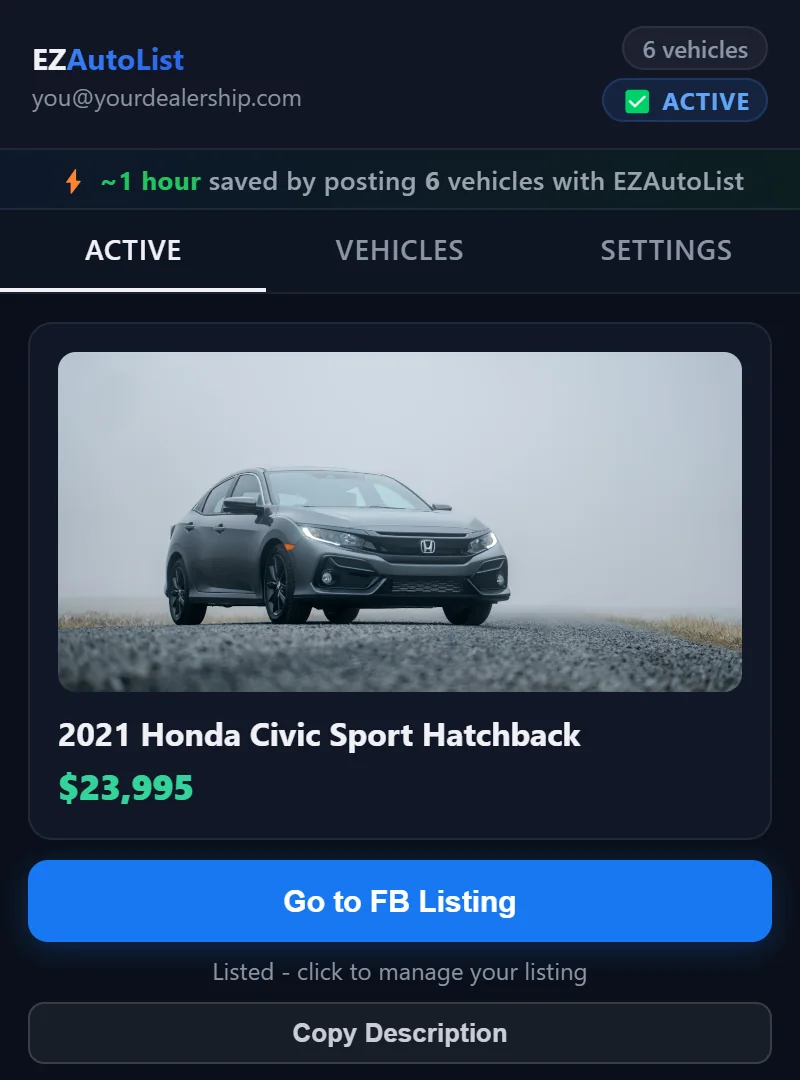
EZAutoList side panel showing a scraped 2021 Honda Civic ready for Facebook Marketplace

Post dealership inventory to Facebook without the repetitive work.

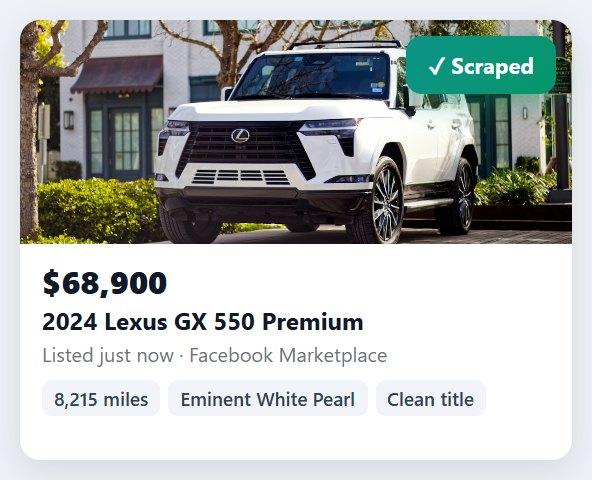
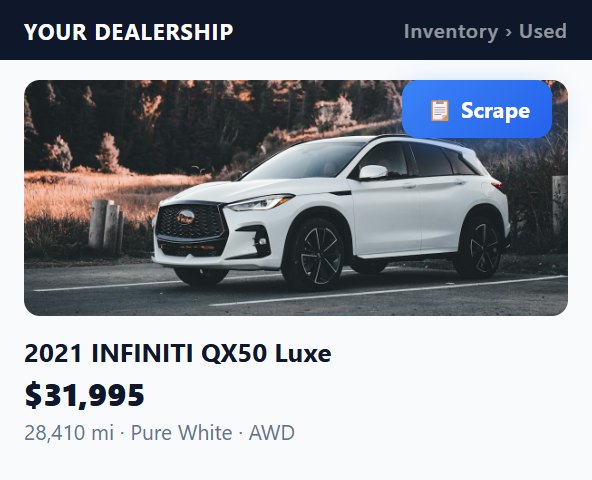
A dealer vehicle page with the EZAutoList Scrape this vehicle button
Step 01

Visit any vehicle page

Browse your dealership's inventory site like normal. A Scrape button shows up on every vehicle page, with no setup per car.

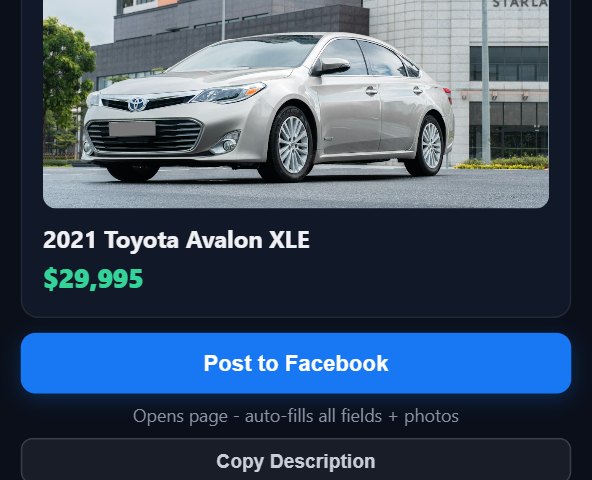
The EZAutoList panel after scraping, ready to post to Facebook
Step 02

Scrape in one click

Year, make, model, mileage, VIN, and every photo, captured in one click. EZAutoList also writes a professional listing description from the specs.

A finished Facebook Marketplace listing filled in by EZAutoList
Step 03

Post to Facebook Marketplace

Open the side panel, hit Post. The listing form is auto-filled with photos included. You review it and click publish.

See the full workflow before you buy

Watch a real vehicle go from dealership website to Facebook Marketplace without the manual copy-paste work.

Watch for the real proof points: vehicle details pulled from the dealer page, photos carried over, and the Marketplace form filled in for you.

Start Free Trial → View on the Chrome Web Store →

Your Facebook account stays yours.

No password to hand over, and nothing posting from someone else's server. Your account never leaves your hands.

We never ask for your Facebook login

No password, no "connect your account," nothing to hand over. EZAutoList works inside the Facebook account you're already signed into.

It runs on your own computer

Posting happens in Chrome on your computer, so your Facebook login never leaves it. We never see it and never store it.

Nothing posts without you

Every listing waits for you to look it over and click Publish yourself. You stay in control of your account.

What's included.

Everything a salesperson needs to get inventory on Marketplace and keep it accurate. Scroll to see each part working.

  1. Works with your dealer site

    Dealer.com, DealerOn, Dealer Inspire and most other dealership websites. Open any car and the Scrape button is already there.

  2. Every photo comes over

    All the photos from the dealer's page go onto your listing, in order. No downloading, no re-uploading.

  3. Descriptions written for you

    A listing description written from the car's specs, in the style you pick: Professional, Facebook (casual), High Energy, Minimal, or Luxury. Or write your own.

  4. Every listing in one place

    Everything you've posted, with a link straight to the live Marketplace listing.

  5. Price-drop alerts

    When the dealer drops a price, you see it, and one click updates your Marketplace listing.

  6. Sold-car alerts

    When a car leaves the lot, you know before a buyer messages you about it.

Watch the Step-by-Step Videos →
Included free with EZAutoList

Your own car-shopping page for your social bio.

Every account comes with a Shop My Lot page: your name, your photo, and your dealership's inventory on one link. Put it in your Instagram, Facebook or TikTok bio, and buyers who find you there can browse your cars and reach you directly.

  • Your dealership's cars, updated automatically every morning
  • Every car has a "Text me" button that goes to your phone, not the main line
  • Your own link, like shopmylot.com/yourname
  • Set up in a couple of minutes after you sign up, no extra cost
Start Free Trial →

Optional. Use it, or just stick with Marketplace posting.

Your buyers are already on Facebook Marketplace.

Shoppers browse Marketplace for cars near them. EZAutoList keeps your inventory in front of them, under your name.

The leads come to you

Buyers message whoever listed the car. When it's your listing, it's your lead, not the house's or the BDC's.

No cost per lead

Listing a car on Marketplace is free. Every message you get from your listings costs you nothing.

Local buyers

Marketplace shows your cars to shoppers in your area, the people who can actually come in for a test drive.

What the leads actually look like.

This is a real Marketplace inbox from one salesperson, over a single week. Every message came from a car posted with EZAutoList: buyers asking about a specific car, asking for the best price, and setting up a time to come in.

Each one goes straight to the salesperson's own Messenger, not a shared dealership inbox.

Buyer names blurred and some message previews edited for privacy.

A salesperson's Facebook Marketplace inbox with buyer messages like 'Is this still available?' about a 2025 Honda Civic, Honda Odysseys, Mazda3s, a Honda Passport and a Volkswagen, names blurred

Do the math. One sale pays for it.

Every Marketplace lead that turns into a deal is commission you weren't going to get otherwise.

Your Marketplace mathEZAutoList · $100/mo
Extra cars sold per month3
12345678
Commission per car$300
$100$800$1,500

Used cars usually carry more gross than new, so Marketplace deals often pay more than an average unit.

Extra cars / month3
× Commission per car$300
= Extra commission$900
− EZAutoList−$100
Net to you, per month$800
Over 12 months$9,600
One mini deal covers the month. Everything after is yours.
Start Free Trial →

Example only. Set the numbers to match your store. Results depend on your inventory, prices, and how many cars you list.

Coming soon

Post cars from the lot, right from your phone.

The phone version of EZAutoList is in the works. Walk the lot, pull up a car on your dealership's website, and post it to Facebook Marketplace without going back to a computer.

  1. Open any car on your dealership's site in your phone's browser.
  2. Tap Scrape and EZAutoList pulls the photos, price, miles and trim.
  3. Tap Post to Facebook. The listing fills itself in. Review it and post.

Use it on your computer today. The phone version is on the way.

Start Free Trial →

One Plan Made Simple and EZ

One subscription, every feature included. No setup fees, no per-listing charges, no contracts.

FAQ

Questions you probably have.

What dealership sites does it work on?
Dealer.com, DealerOn, Dealer Inspire, and most other dealership inventory websites. Your account is set up for your dealership's website when you sign up, and if you sell from more than one site, we'll add the others for you.
What if it doesn't work on my dealership's website?
Send us a support ticket with your dealership's website and we'll fix it. Most issues are fixed within 48 hours.
Can I use it on my phone?
Not yet. Today EZAutoList runs in Chrome on a computer. A phone version is in the works and coming soon, so you can post cars right from the lot.
Do I need any technical knowledge?
Zero. Install the Chrome extension, log in, start scraping. That's it.
Does it post listings automatically?
It auto-fills everything - title, description, price, photos, location. You click the final Publish on Facebook Marketplace. This keeps your account activity legitimate and under your control.
Do I have to give you my Facebook login?
Never. EZAutoList never asks for your Facebook password, and we never see or store your Facebook login. It runs in Chrome on your own computer, inside the Facebook account you're already signed into, and nothing goes live until you click Publish yourself.
Will this get my Facebook account flagged?
EZAutoList fills the listing form the same way a human would - it's not a bot. That said, posting very high volumes rapidly on any platform carries some risk. Use it at a reasonable pace.
What's the Shop My Lot page?
A free page that comes with your EZAutoList account: your name, your photo, and your dealership's inventory on one link (shopmylot.com/yourname). Put it in your social media bio so buyers can browse cars and text or call you directly. It updates with your dealership's inventory every morning. Totally optional.
What happens after I subscribe?
You get a welcome email with a link to set your password. After that, install the extension, sign in, open your authorized inventory site, and start scraping. If the email does not show up within a few minutes, check spam or contact support.
Can I cancel anytime?
Yes. No contracts, no cancellation fees. Cancel yourself anytime in the extension: open Help, then Manage / Cancel Subscription. Or email support@ezautolist.com and we'll take care of it. Access continues through the end of your billing period.
Stop rebuilding the same listing every time.

You have cars to sell. Let EZAutoList handle the repetitive Marketplace work.

Add to ChromeFree to installStart Free Trial →

7-day free trial · One plan, everything included: $100/mo · Cancel anytime · Password setup by email after purchase · Questions? Email us